
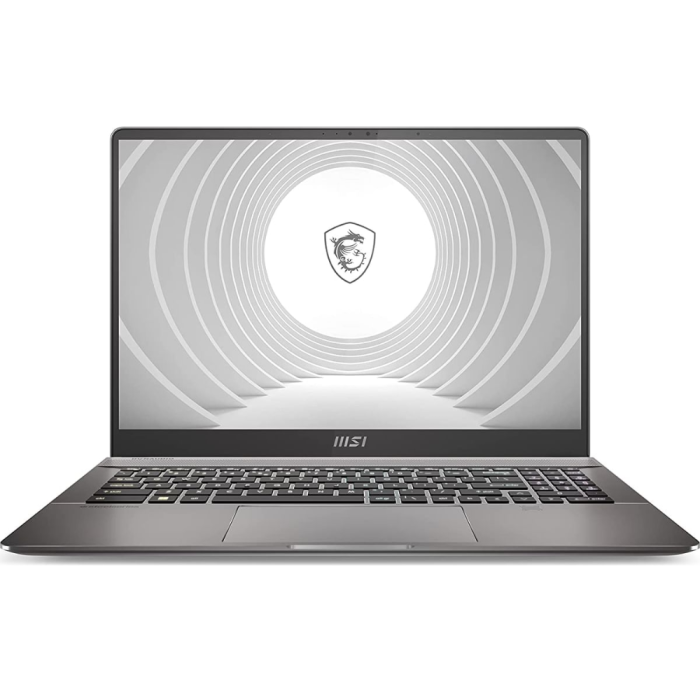
MSI CREATOR PRO Z16P - 16" QHD or FHD, 12TH GEN CORE i9, 32GB RAM, 1TB SSD, NVIDIA GTX A3000 12GB
In stock
- SKU
- B12UKT- 090US
- Color
- Grey
Description
PERFORMANCE
Processor: 2th Gen Intel Core i9 processor, delivering lightning-fast speeds and exceptional multitasking capabilities.
Graphics: 12GB NVidia GeForce GTX A3000, for an immersive experience.
Memory: 32GB DDR5 RAM, ensuring smooth performance even with the most demanding applications.
Storage: Comes with dual M.2 SSD slots (NVMe PCIe Gen4), providing ample storage and lightning-fast load times.
DISPLAY
Screen Size: 16-inch QHD+ (2560x1600) or FHD+ (1920x1200) IPS-Level display.
Touchscreen: Optional touchscreen support.
MSI Pen: Optional support for the MSI Pen for precise input.
COOLING SYSTEM
Advanced Cooling Technology: Keeps your system running at peak performance without overheating.
CoolBoost Technology: Optimizes fan speed for maximum cooling efficiency.
DESIGN
Build: Sleek, all-black magnesium alloy chassis with a professional look, featuring sharp angles and a matte finish.
Keyboard: Per-key RGB backlit keyboard with customizable lighting for a personalized touch.
BATTERY LIFE
Battery Capacity: 4-cell 90 Wh lithium-ion battery.
Battery Life: Up to 6 hours, depending on usage and settings.
PORTS AND CONNECTIVITY
Ports: Includes Thunderbolt 4, Type-C (USB3.2 Gen2 / DisplayPort), Type-A USB3.2 Gen2, SD Express Card Reader, and HDMI.
Wireless: Killer ax Wi-Fi 6E + Bluetooth v5.2 for seamless connectivity.
More Information
| Smart Phone | No |
|---|---|
| Enable Call for Price | No |